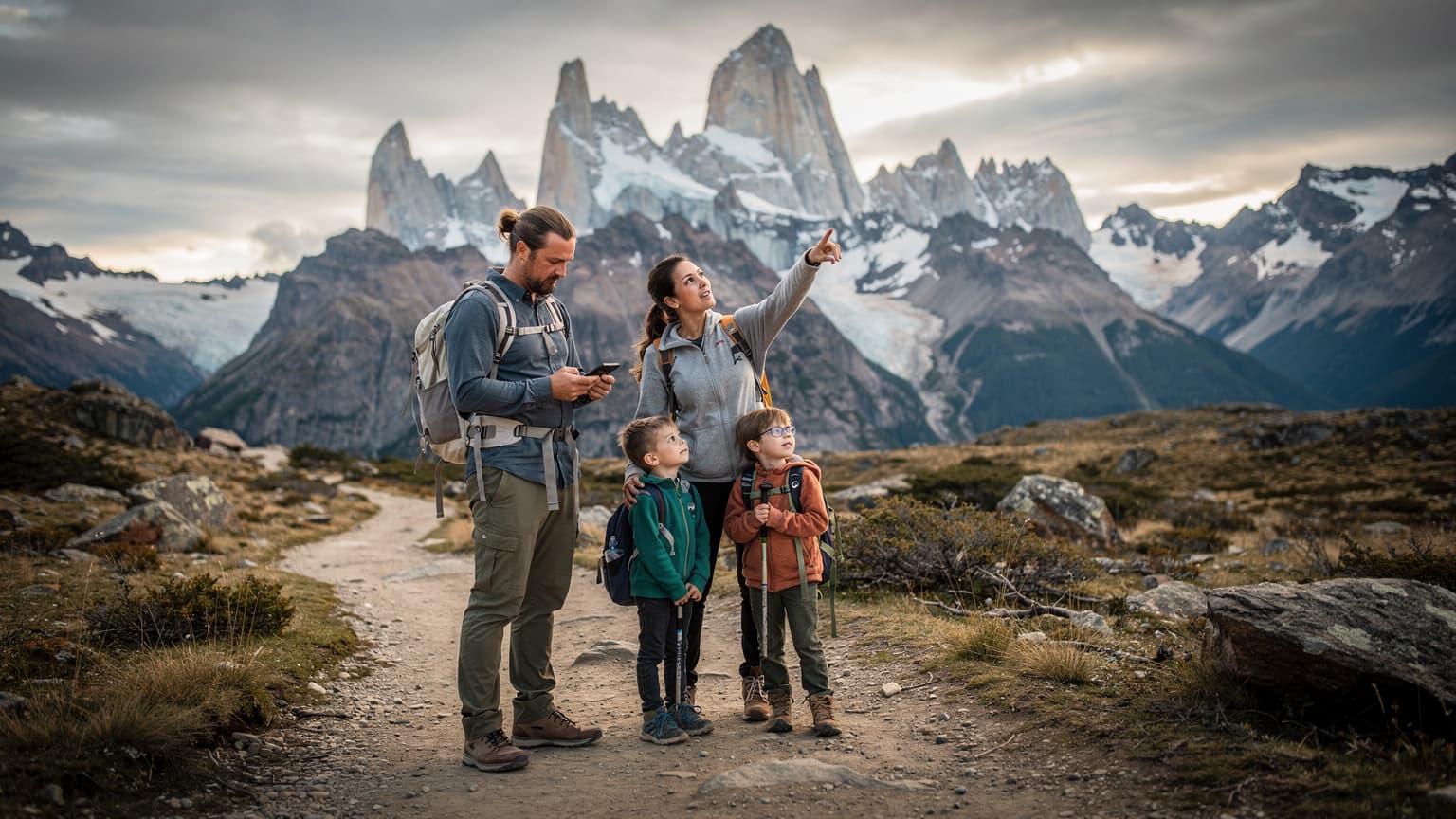
Why Your iPhone 17 is the Secret Weapon for Patagonia 2026
Look, I've been roaming the globe for four years now, and if there's one thing I've learned, it's that reliable connectivity isn't a luxury, it's a necessity, especially when you're headed somewhere as remote as Torres del Paine. Your iPhone 17, with its advanced eSIM capabilities, isn't just a phone, it's a lifeline. It means you're not fumbling with tiny plastic cards in freezing winds, or dealing with language barriers at a dusty kiosk trying to register a local SIM card (which, let's be honest, often requires a local ID anyway, like the Aadhaar app in India or certain Brazilian bank apps).
The iPhone 17's dual eSIM support is a game-changer for international travel. You can keep your primary number active for banking two-factor authentication or family calls, while a separate data-only eSIM handles your internet needs. This is particularly critical in Patagonia, where physical SIM availability can be erratic, and roaming costs from your home carrier can be astronomical. I've seen friends get hit with bills upwards of $300 for a week of casual browsing because they didn't sort their data before leaving. Don't be that friend.
The Benefits of eSIM on the iPhone 17
The iPhone 17's eSIM implementation is robust, making it ideal for the demands of a Patagonian adventure. Here’s why it stands out:
- Instant Activation: No more hunting for local stores or waiting for activation. Buy your eSIM plan online, scan a QR code, and you're good to go. This is a blessing when you land in Punta Arenas after a 20-hour flight and just want to get to Puerto Natales.
- Dual SIM Functionality: Keep your home number active alongside your travel data. This is invaluable for maintaining access to essential apps that rely on your primary number for verification, or for those moments your bank decides to send a fraud alert.
- Flexibility and Control: Easily switch between different data plans or providers if one isn't performing well, without the physical hassle. If you find yourself needing more data for uploading photos of the Cuernos del Paine, you can top up or switch plans from your phone, even from a tent.
- Enhanced Security: An eSIM can't be physically removed if your phone is lost or stolen, adding a layer of security that a traditional SIM card doesn't offer. While not foolproof, every bit helps in a foreign country.
Understanding Connectivity in Torres del Paine: The Cold, Hard Truth
Let's be blunt: Torres del Paine is not a place for seamless 5G streaming. It's a wilderness park, and that means patchy, unreliable service. Expect zero coverage on many parts of the W Trek or O Circuit, especially deep in valleys or behind major geological features. The main settlements, like Puerto Natales, have decent service, but once you're in the park, manage your expectations.
In my four years of digital nomad life, I’ve found that even in bustling cities, certain apps or services (like some Latin American banking apps) absolutely demand a local SIM for verification, but that's rarely the case for basic internet access or messaging. For Torres del Paine, your goal isn't constant connectivity, it's strategic connectivity, ensuring you have data when you need it for emergencies, GPS, or quick check-ins.
What to Expect on the Trail and in Refugios
On the trails themselves, especially the popular W Trek, you'll encounter dead zones. Don't count on WhatsApp calls while hiking past Grey Glacier. However, some refugios (mountain lodges) and campsites do offer Wi-Fi, often for a fee, and it's usually slow satellite internet. Think checking emails, not downloading movies. I remember at Refugio Grey, the Wi-Fi was about $10 USD for an hour, and it was barely strong enough to send a short message on Signal. Plan accordingly.
For example, at Fantastico Sur's Refugio Paine Grande or Chileno, you might get a flicker of cellular signal near the reception, but it's far from reliable. Don't rely on it for critical communications. Always download offline maps (Google Maps, Maps.me, or AllTrails) before heading into the park. Your iPhone 17's GPS will work without a cellular signal, but the maps need to be pre-loaded.
Local Carriers and Their Reach
In Chile, the main carriers are Entel, Movistar, and Claro. In the region surrounding Torres del Paine, Entel generally has the best, albeit still limited, coverage. Movistar is a close second. Claro is often less robust in truly remote areas. When you're picking an eSIM, check which local networks it partners with to ensure you're getting the best possible chance at a signal.
eSIM vs. Physical SIM in Chile and Argentina: A Nomad's Dilemma
This isn't just about convenience, it's about what actually works on the ground without tearing your hair out. For years, I swore by local SIMs, grabbing one at every airport. But things break. SIM trays bend, pins get lost, and sometimes you just can't find a store. The eSIM on your iPhone 17 cuts out all that friction, especially in places where local bureaucracy can be a pain.
In Chile, buying a local SIM often means registering it with your passport. It's not a huge hurdle, but it's an extra step. If you're crossing into Argentina (common for Patagonia trips to visit El Chalten or El Calafate), you'll face the same process again. Argentina's main carriers are Personal, Movistar, and Claro. Again, the registration process can be slow. An eSIM, especially one that covers both countries, sidesteps all this. When I was in Buenos Aires, I spent a good hour at a Movistar store trying to get a SIM working properly, only to find out they needed a specific type of Argentine ID for full activation beyond basic data. That's time you could spend exploring Recoleta, or grabbing an empanada. For a seamless experience across borders, I always recommend a multi-country or regional eSIM package. You can find options like eSIM Chile directly on the esimAdventures site.
| Feature | eSIM (iPhone 17) | Physical Local SIM | Home Carrier Roaming |
|---|---|---|---|
| Activation | Instant, QR code | In-store purchase & registration | Automatic |
| Cost (Data) | Competitive, prepaid | Low, but variable | Very High |
| Flexibility | Easy plan switching | Requires new SIM for change | Limited options |
| Dual SIM | Yes, with home number | Requires physical slot (if available) | Not applicable |
| Security | Can't be physically removed | Can be physically removed | Device security |
Prepping Your iPhone 17 for Patagonia: The Essential Checklist
Before you even think about stepping onto a plane, you need to ensure your iPhone 17 is ready for the rigors of Patagonian travel. This isn't just about connectivity, it's about device longevity in challenging conditions. The last thing you want is a dead phone when you're trying to navigate back to your campsite or call for assistance.
I've learned this the hard way: always, always have a backup plan. In Ushuaia, I once dropped my phone into a shallow stream. Luckily, it survived, but it taught me to never rely on a single device for navigation or communication. Always bring a physical map, a compass, and a satellite messenger if you're truly going off-grid for extended periods. (And yes, the iPhone 17 is water-resistant, but don't push it.)
Software Updates and Offline Resources
Make sure your iPhone 17 is running the latest iOS version. This ensures optimal performance, security, and eSIM compatibility. Crucially, download all necessary maps and guides for offline use. Apps like Maps.me, AllTrails, Gaia GPS, and even Google Maps allow you to download entire regions. Trust me, trying to load a map with one bar of 3G, if you even get that, is a lesson in frustration.
- Offline Maps: Download regional maps for Chile and Argentina on Google Maps and Maps.me.
- Emergency Contacts: Save local emergency numbers (police, park rangers, your embassy) directly to your phone.
- Translation Apps: Download offline language packs for Spanish on Google Translate or iTranslate.
- Entertainment: Load up on podcasts, audiobooks, or movies. You'll have plenty of downtime without Wi-Fi.
- Travel Documents: Keep digital copies of your passport, visa (if applicable, though Chile and Argentina are generally visa-friendly for many nationalities), and accommodation bookings in a secure cloud service and offline on your device.
Power Management and Protection
Battery life is paramount. Cold weather drains batteries faster. Bring a high-capacity power bank (at least 20,000 mAh) and ensure all cables are durable. A waterproof, shockproof case for your iPhone 17 is non-negotiable. Patagonia weather can turn on a dime, going from sunny to sleet in minutes. I've had phones die on me from exposure, so learn from my mistakes.
Which eSIM Plan is Right for Torres del Paine Data Needs?
Choosing the right eSIM plan for Torres del Paine means understanding your actual usage patterns in a remote environment, not just what you'd use at home. You won't be streaming Netflix on the trails, so a massive data package might be overkill. Focus on coverage and duration.
For a typical 7-10 day trek in Torres del Paine, I'd recommend a plan with 3-5 GB of data. This is usually enough for essential navigation, checking weather updates, quick messages to friends or family, and emergency use. If you're staying longer or combining it with other parts of Patagonia, a larger regional plan makes more sense. Consider a plan that covers both Chile and Argentina if your trip involves crossing borders, like visiting El Chaltén or Ushuaia after Torres del Paine.
Data Packages for the Region
When selecting your eSIM, look for providers that explicitly list coverage for Chile and ideally Argentina. Pay attention to the validity period. A 30-day plan is often more cost-effective than multiple shorter plans if you're traveling for a few weeks. Don't fall for the cheapest per-GB rate without checking the network partners. A slightly more expensive plan on a reliable network like Entel or Movistar is worth its weight in gold when you're relying on it.
| eSIM Plan Type | Data Allowance | Validity | Best For |
|---|---|---|---|
| Regional Patagonia | 5 GB | 15 Days | W Trek, short trips, essential communication |
| Regional Patagonia | 10 GB | 30 Days | O Circuit, multi-week trips, light browsing |
| Chile Only | 3 GB | 7 Days | Short, focused trips within Chile, budget-conscious |
| South America | 20 GB | 30 Days | Extended multi-country trips, heavy usage in towns |
Activating Your eSIM on iPhone 17: A Step-by-Step Guide
The beauty of the iPhone 17 is how straightforward eSIM activation is. You don't need to be a tech wizard. Just follow these steps, and you'll be connected quicker than you can say 'Torres del Paine National Park'. (It's a mouthful, I know.)
I usually do this right before my flight, or sometimes even once I've landed and found a stable Wi-Fi connection at the airport. You definitely don't want to be troubleshooting this in the middle of nowhere.
The Activation Process
- Purchase Your eSIM Plan: Head over to esimAdventures' Chile page (or the relevant regional plan) and choose your preferred data package. Complete the purchase.
- Receive QR Code/Activation Details: You'll typically receive an email with a QR code or manual activation details. Keep this email accessible.
- Open Settings on iPhone 17: Go to Settings > Cellular (or Mobile Data).
- Add eSIM: Tap Add eSIM.
- Scan QR Code: Choose Use QR Code and scan the code provided in your email. If you're having trouble scanning, or are activating from the same device the QR code is on, select Enter Details Manually and input the SM-DP+ Address and Activation Code.
- Label Your eSIM: Once activated, label your new eSIM (e.g., "Patagonia Data" or "Chile Travel") to easily distinguish it from your primary line.
- Set Default Line for Data: In Settings > Cellular, select your new eSIM as your Cellular Data line. Ensure Allow Cellular Data Switching is OFF to prevent accidental roaming charges on your primary line.
- Enable Data Roaming (if required): For some eSIMs, you might need to enable Data Roaming within the eSIM's settings. Check your provider's instructions carefully.
Real-World Connectivity Tips for the Trail and Town
Okay, you've got your iPhone 17 with an activated eSIM, but now what? In Patagonia, it's not just about having a signal, it's about being smart with it. Battery conservation is key. And knowing where to find a reliable connection, even a weak one, can make all the difference.
My WhatsApp groups for nomads are full of these kinds of tips. Someone always knows a cafe with killer Wi-Fi or a specific spot on a trail where a signal sometimes magically appears. This collective knowledge is gold.
On the Trail: Maximize What You Have
- Airplane Mode Strategically: Enable Airplane Mode when you know there's no signal to save battery. Periodically switch it off to check for service.
- Low Power Mode: Always keep your iPhone 17 in Low Power Mode when not actively using data.
- Download Before You Go: As mentioned, offline maps, guidebooks, and even entertainment are your best friends.
- Keep it Warm: Store your phone close to your body or in an insulated pocket to protect the battery from extreme cold.
- Share the Signal: If one person in your group has a better signal, use their phone as a hotspot briefly, but be mindful of their data and battery.
In Town: Finding the Sweet Spots
Once you're back in civilization, like Puerto Natales, connectivity improves dramatically. But even then, some places are better than others.
- Cafes and Restaurants: Most cafes offer free Wi-Fi. In Puerto Natales, I often found myself at Base Camp Cafe, not just for the excellent coffee and pastries, but because their Wi-Fi was surprisingly robust for uploading photos and quick video calls. It's on Manuel Bulnes, and usually open from 8 AM to 8 PM.
- Hostels and Hotels: Wi-Fi quality varies wildly. Don't assume. Check reviews or ask upon arrival.
- Co-working Spaces: While rare in small Patagonian towns, larger hubs like Punta Arenas or El Calafate might have them. In Puerto Natales, your best bet for solid Wi-Fi and a quiet place to work is usually at one of the larger guesthouses like Erratic Rock or The Singing Lamb, if they allow non-guests to use their common areas for a fee.
- Public Libraries: Often overlooked, public libraries can be a good source of free, decent Wi-Fi.
Beyond the Park: Staying Connected in Puerto Natales and El Calafate
Your Patagonian adventure likely extends beyond the bounds of Torres del Paine. Puerto Natales, Chile, is the main gateway town, and El Calafate, Argentina, is its counterpart for Los Glaciares National Park (home to Perito Moreno Glacier). Connectivity in these towns is generally good, but with some quirks.
I spent a solid month in Puerto Natales once, just waiting for a good weather window for the O Circuit. My rent for a decent room in a shared apartment near the waterfront was about CLP 350,000 (roughly $370 USD) for the month, which is reasonable. Food costs were about CLP 200,000 ($210 USD) for groceries if you cooked yourself, plus another CLP 100,000 ($105 USD) for eating out occasionally. It helps to have reliable data for finding cheap groceries, checking bus schedules, and coordinating with other trekkers.
Puerto Natales, Chile
In Puerto Natales, you'll find reliable 4G coverage from Entel and Movistar. Your eSIM should latch onto these networks without issue. This is where you can catch up on emails, upload your incredible photos, and plan your next leg. Wi-Fi at cafes like Cafe Last Hope or the popular El Ovejero Patagónico Restaurant is generally stable enough for most tasks.
Remember, some local services might still prefer a local Chilean number, but for general internet use, your eSIM will suffice. Always have a backup, though. I've had local bus companies in South America insist on texting a local number for confirmation, even if I was booking online. It's a rare inconvenience, but it happens.
El Calafate, Argentina
Crossing the border into Argentina, El Calafate is your base for Perito Moreno. Here, Personal and Movistar are the dominant carriers. Your regional eSIM should transition smoothly. Connectivity is decent in town, but don't expect much once you're on the bus to the glacier or within Los Glaciares National Park itself.
El Calafate is generally more tourist-centric, so Wi-Fi in hotels and restaurants is usually reliable. I remember the Wi-Fi at La Zaina, a popular restaurant, being surprisingly good for a quick call home. Keep in mind visa limitations, though. While Chile and Argentina are generally open for tourists from many countries, always double-check current entry requirements, especially if you're planning a multi-month stay. Some countries have limits on how long you can stay without a specific visa, which can impact how long you can use a local SIM or even your eSIM if you're reliant on specific local services. This is something I always check, especially for places like Spain during Semana Santa or Malaysia, where longer stays have different rules.
Emergency Communications and Safety Protocols in the Wild
This is where connectivity shifts from convenience to critical. In a place like Torres del Paine, being able to call for help can be the difference between a minor inconvenience and a major problem. While your iPhone 17 eSIM provides the best chance for cellular connectivity, it's not a guarantee in true wilderness.
Always remember that the park has designated emergency channels. Park rangers are your first point of contact for serious situations. Do not rely solely on your phone for emergency communications when deep in the park. My friends and I always carry a satellite messenger like a Garmin inReach or a Zoleo for true off-grid emergencies. They're not cheap, but neither is an airlift.
What to Do in a No-Signal Situation
- Stay Calm and Assess: Panic solves nothing. Check your surroundings. Are you truly in a dead zone, or can you move to higher ground for a signal?
- Try SOS Features: The iPhone 17 likely has enhanced SOS features. Familiarize yourself with how to activate them, even without a cellular signal, as some models offer satellite SOS capabilities in certain regions (though check for specific Patagonia support).
- Use Pre-Downloaded Maps: Navigate using your offline maps. Know your planned route and emergency exit points.
- Communicate with Your Group: If you're with others, stick together and discuss your options.
- Seek Ranger Assistance: Head towards the nearest refugio or ranger station. They have satellite phones or radios for emergencies.
Budgeting for Connectivity in Patagonia: What to Expect
Connectivity costs in Patagonia, especially with an eSIM, are generally reasonable, but it's important to factor them into your overall travel budget. Don't let a surprise roaming bill ruin your trip. Think about what you really need versus what you want. (And sometimes, what you want is to be completely disconnected, which is its own kind of luxury.)
For a basic two-week trip combining Torres del Paine and perhaps El Calafate, expect to spend anywhere from $20 to $50 USD on a decent eSIM plan. This is significantly less than what you'd pay for international roaming with most home carriers, where a single day of data can cost $10-$15. For context, a cup of coffee in Puerto Natales is around CLP 3,000 ($3.20 USD), and a basic meal can be CLP 10,000-15,000 ($10-16 USD). So, your connectivity is a relatively small part of your overall spend, but a critical one.
Cost Comparison: eSIM vs. Roaming
| Option | Typical Cost (per GB) | Activation & Convenience | Coverage in Patagonia |
|---|---|---|---|
| eSIM (e.g., esimAdventures) | $3-$7 USD | Instant, online activation | Good in towns, patchy in park (depends on local network partner) |
| Local Physical SIM (Chile/Argentina) | $2-$5 USD | In-store purchase, passport registration | Good in towns, patchy in park (local network dependent) |
| Home Carrier Roaming (e.g., T-Mobile International Pass alternatives) | $10-$20+ USD | Automatic, high convenience | Highly variable, often relies on same local networks as eSIMs but with higher cost, see T-Mobile alternatives |
When considering your overall budget, remember that robust connectivity can actually save you money by allowing you to easily book cheaper accommodations, find local markets for food, or navigate public transport, rather than relying on expensive taxis or tourist services. It's an investment, not just an expense. And it's definitely something I budget for, whether I'm in France, Germany, or some tiny village in the Himalayas.
Frequently Asked Questions
Will my iPhone 17 eSIM work inside Torres del Paine National Park?
Yes, your iPhone 17 eSIM will work in parts of Torres del Paine National Park, particularly around refugios and some higher points. However, expect significant dead zones and unreliable service on most trails and in deep valleys. It's best for emergency use and quick check-ins, not constant connectivity.
What's the best local network for an eSIM in the Torres del Paine region?
For the Torres del Paine region, Entel generally offers the best, albeit still limited, coverage, followed by Movistar. When choosing an eSIM, verify that it partners with one of these primary Chilean networks to maximize your chances of getting a signal.
Can I use my iPhone 17 eSIM for both Chile and Argentina during a Patagonia trip?
Absolutely. Many eSIM providers offer regional plans that cover both Chile and Argentina. This is ideal for cross-border trips, like combining Torres del Paine with El Calafate or El Chaltén, as it avoids the need for separate local SIMs and registration hassles.
Do I need a local SIM for any specific apps in Patagonia?
For general internet and messaging, an eSIM is sufficient. Unlike some countries where specific banking or government apps require a local number (e.g., certain apps in India or Brazil), you're unlikely to face such restrictions for basic travel needs in Patagonia. Always keep your primary number active for two-factor authentication from your home bank, though.
How much data should I get for a two-week trip to Torres del Paine and surrounding areas?
For a two-week trip focusing on Torres del Paine and nearby towns like Puerto Natales and El Calafate, a 5-10 GB eSIM plan should be adequate. This allows for essential navigation, checking weather, messaging, and occasional light browsing without overspending on data you won't use in signal-less areas.
What should I do if my iPhone 17 has no signal in a remote part of the park?
If your iPhone 17 has no signal, first, don't panic. Switch to Airplane Mode to save battery, rely on pre-downloaded offline maps for navigation, and use your device's SOS features if available. Always carry a physical map, compass, and consider a satellite messenger for true off-grid emergencies.