

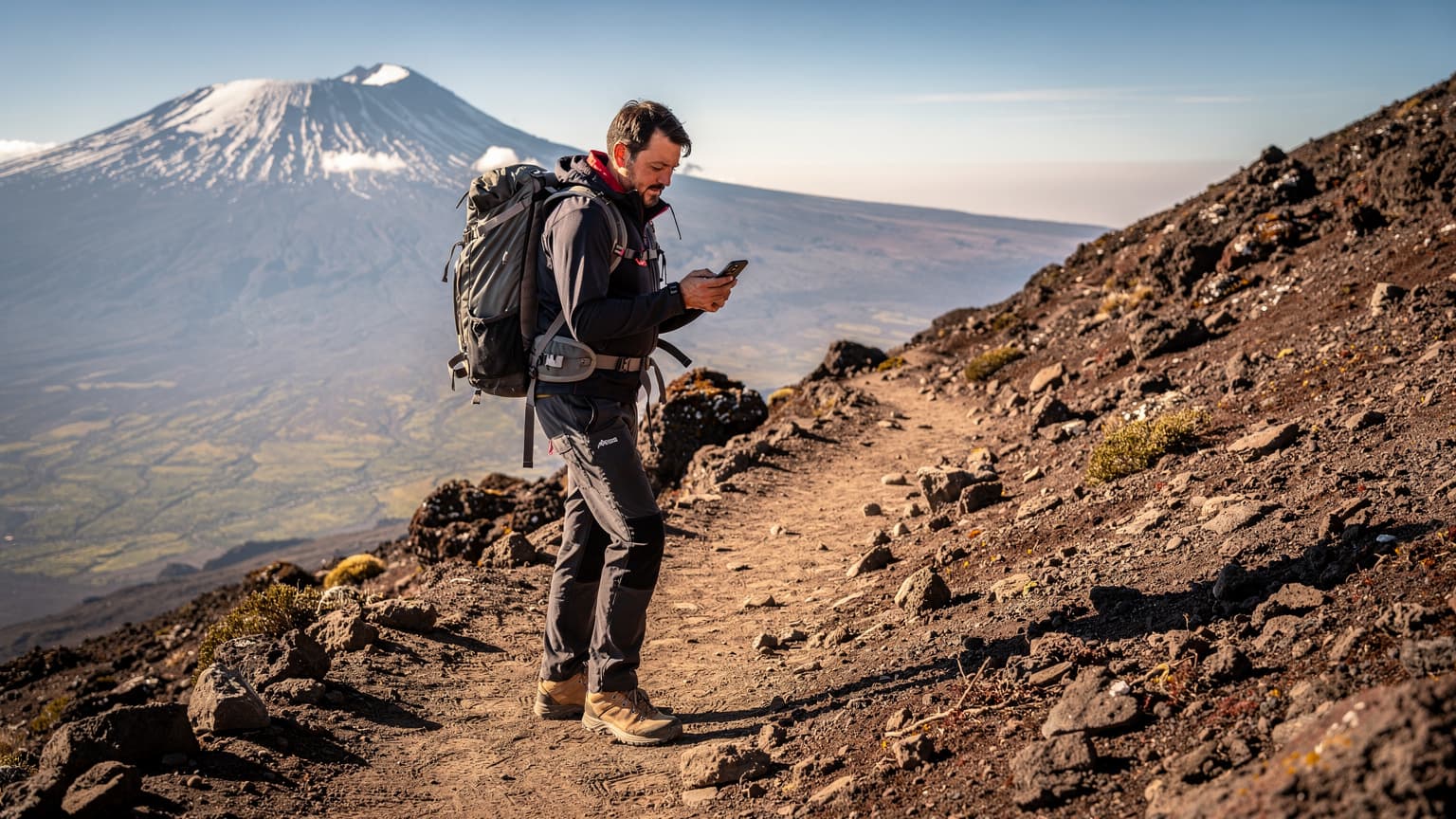
Why Your iPhone 17 eSIM is Critical for Kilimanjaro
Look, I've been on the road for four years, seen enough dodgy SIM card stalls to last a lifetime. Kilimanjaro isn't some back-alley market in Bangkok, it's a serious climb. When you're up there, 5,000 meters above sea level, connectivity isn't just about posting a selfie, it's about safety. Your iPhone 17, with its eSIM capabilities, isn't just a convenience, it's a vital piece of gear.
Physical SIMs are a liability. I remember trying to swap one out in a dusty market in Varanasi, nearly dropped it into a chai, and lost all my contacts for a day. Up Kilimanjaro, the stakes are higher. Cold, wind, gloves, fatigue, these are all factors that make fumbling with a tiny piece of plastic a terrible idea. An eSIM removes that entire vector of failure. It's pre-loaded, activated with a QR code, and you're good to go. No tiny trays, no dropping the card in the snow, no unexpected dust intrusion.
More importantly, it ensures you have access to critical services. Your guide will likely have a satellite phone for emergencies, but for personal check-ins with family, tracking your progress on apps like Gaia GPS or AllTrails, and even just staying in touch with your climbing group, a reliable data connection is essential. You're not going to be streaming Netflix, but for WhatsApp messages and light browsing, an eSIM gives you peace of mind.
The Unseen Challenges of Mountain Connectivity
People often underestimate how quickly a minor issue can become a major problem when you're isolated. Dehydration, altitude sickness, a twisted ankle, these things happen. Being able to send a quick text to your support team or access an emergency contact list could make all the difference. While full signal strength isn't guaranteed at every single point on Kilimanjaro, especially at higher altitudes, coverage exists in surprisingly many sections, particularly on the lower and mid-slopes, and having an active eSIM maximises your chances.
Think about it, even if you just need to confirm a flight detail for your post-climb safari, or check on a booking for a hotel in Arusha, having that connection available through your iPhone 17's eSIM saves you a lot of grief. I once had a flight cancelled in Cusco, Peru, and spent hours trying to find a working internet café. Had I had an eSIM, it would have been a five-minute fix on my phone.
Pre-Trip Checklist for Tanzania eSIM Setup
Preparation is key, especially for a trip like this. Don't wait until you land at Kilimanjaro International Airport (JRO) to figure out your data. You'll be tired, possibly a bit disoriented, and the last thing you want is to be hunting for Wi-Fi or a local SIM. Get your eSIM sorted before you even leave home.
- Verify iPhone 17 eSIM Compatibility: Confirm your iPhone 17 is unlocked and supports eSIM technology. Most modern iPhones sold in Europe, Asia, and North America (since the iPhone 14 in the US) are eSIM-only or eSIM-compatible. Double-check your specific model.
- Research Tanzania eSIM Plans: Look into Tanzania eSIM plans from esimAdventures. Consider data allowances based on your expected usage. A 5GB plan for a week-long climb might sound small, but for essential communication and light browsing, it's often plenty. If you're staying longer, or planning extensive safari trips afterward, consider 10GB or more.
- Purchase and Download eSIM: Buy your chosen eSIM plan online. You'll receive a QR code via email. Download this QR code to another device (like a tablet or a laptop) or print it out. This way, you don't need an active internet connection on your iPhone 17 to scan it.
- Ensure Phone Battery Health: Check your iPhone 17's battery health. A strong battery is crucial on the mountain where charging opportunities are limited. Consider replacing it if it's below 80% capacity.
- Disable Auto-Updates: Turn off automatic app updates and background app refresh to conserve data and battery life. You don't want your phone trying to download a 2GB iOS update when you're halfway up Kilimanjaro.
Understanding Tanzanian Visa and Local App Requirements
Tanzania has a relatively straightforward visa process for many nationalities, often available on arrival or via eVisa. However, some countries might have stricter requirements, so always check the official Tanzanian immigration website well in advance. For example, some Southeast Asian nationals might require a pre-approved visa that takes time. Make sure you have all your documentation, including proof of accommodation (even if it's just your first night in Moshi or Arusha) and onward travel, ready.
While Tanzania doesn't have many critical local apps that mandate a local SIM for registration, unlike say, some Brazilian banking apps or India's Aadhaar system, having a working number can still be handy. For instance, sometimes local tour operators or taxi services prefer calling a local number. A esimAdventures eSIM gives you data, and many plans also include a small allowance for calls, which can be invaluable.
Local Carriers vs. International eSIMs: What Works on Kili?
This is where my experience kicks in. When I first started this nomad thing, I wasted so much time trying to get local SIMs everywhere. The paperwork, the language barriers, the constant need to top up at obscure kiosks. It's fine if you're staying for months, but for a two-week trip, especially one that involves climbing a mountain, it's a pain. International eSIMs, specifically those designed for travel, are a no-brainer for Kilimanjaro.
Why? Because they roam across multiple networks. While a local SIM from Vodacom Tanzania or Tigo might be slightly cheaper per GB in Dar es Salaam, their mountain coverage can be spotty. A good international eSIM package often leverages agreements with all major local carriers, switching seamlessly to whichever has the strongest signal, even if it's just 2G or 3G in remote areas. This flexibility is crucial on a climb where signal strength varies wildly.
| Feature | Local Physical SIM (Tanzania) | International Travel eSIM (esimAdventures) |
|---|---|---|
| Activation | In-person at a shop, ID registration, potential delays | Online, QR code scan, immediate activation |
| Coverage on Kilimanjaro | Dependent on single carrier's mountain infrastructure (e.g., Vodacom has some presence) | Rides on multiple local networks, automatically selects strongest signal |
| Flexibility | Single country/carrier, often fixed plans | Multi-country options, various data packages |
| Cost (Short Trips) | Potentially cheaper per GB for long stays, but initial hassle + minimum top-ups | Transparent, pre-paid, no hidden fees, ideal for shorter durations |
| Ease of Use | Fumbling with tiny plastic, language barriers | Seamless digital installation, no physical handling |
For a short, intensive trip like climbing Kilimanjaro, where your priority is reliable connectivity over rock-bottom prices, an international eSIM is the clear winner. The slight premium for convenience and multi-network roaming is well worth it for the peace of mind.
Major Tanzanian Carriers and Their Reach
Tanzania's main mobile operators are Vodacom, Airtel, Tigo, and Halotel. Vodacom generally has the best coverage, especially in more remote areas and on Kilimanjaro itself. I've heard from fellow climbers that Vodacom sometimes manages to snag a 3G signal even at Barafu Camp, which is astounding. Tigo and Airtel are strong in urban centers like Dar es Salaam and Arusha, but their mountain presence drops off faster.
When you're choosing an eSIM for destinations like Bali, you're looking for huge data packages for co-working spaces and video calls. For Kilimanjaro, you're looking for reach, even if it's just 2G for text messages. That's why an eSIM that can hop between networks is so crucial. Don't assume urban coverage translates to mountain coverage, it rarely does.
Activating Your Tanzania eSIM on iPhone 17
This is probably the easiest part. Once you've purchased your eSIM from esimAdventures, you'll get a QR code. The iPhone 17 makes this process incredibly smooth, especially with iOS 18's refined cellular settings interface.
- Access Cellular Settings: On your iPhone 17, go to Settings > Cellular (or Mobile Data).
- Add eSIM: Tap on Add eSIM or Add Data Plan.
- Scan QR Code: Choose Use QR Code. Your camera will open.
- Scan and Confirm: Point your iPhone's camera at the QR code you received. It should detect it almost instantly. Follow the on-screen prompts to confirm and activate. You'll be asked to label your new plan (e.g., "Tanzania Travel" or "Kilimanjaro Data") and choose which line is primary for data and calls.
- Set as Primary for Data: Crucially, once activated, ensure your new Tanzania eSIM is set as the primary line for mobile data. You can keep your home SIM active for incoming calls and texts (if you have an iPhone 17 model with dual eSIM or eSIM + physical SIM), but direct all data traffic through the esimAdventures eSIM to avoid roaming charges.
It's a process that takes literally a couple of minutes. I've done it in airport lounges, in hotel lobbies, even on a bus heading from Hanoi to Ha Long Bay. The point is, do it somewhere comfortable with good lighting, not while you're half-frozen on a mountain trail.

Dual SIM Management on iPhone 17
One of the best features of modern iPhones, especially the 17, is their robust dual SIM management. This allows you to keep your home number active for important calls or texts, while using your eSIM for all your data needs. This is particularly useful if you have two-factor authentication tied to your home number. You can specify which line is used for calls, messages, and data, switching as needed.
For example, you can set your home SIM for voice calls only, and your Tanzania eSIM for all data. This prevents accidental roaming charges while keeping your primary number accessible. I've heard too many horror stories of people racking up thousands in roaming fees because they forgot to switch off their home data. Don't be that person.
Powering Your iPhone 17 on the Mountain
Connectivity is useless if your phone is dead. Kilimanjaro is not exactly teeming with power outlets. You need a solid strategy for keeping your iPhone 17 charged through your climb.
- High-Capacity Power Bank: Invest in a rugged, high-capacity power bank. I'm talking 20,000mAh minimum, preferably two of them. Brands like Anker or Goal Zero are reliable. Ensure it's fully charged before you start.
- Solar Charger (Supplementary): A small, portable solar charger can be a good backup, but don't rely on it as your sole power source. Charging speeds are slow, and sun exposure can be inconsistent.
- Conserve Battery Aggressively:
- Low Power Mode: Keep your iPhone 17 in Low Power Mode at all times.
- Airplane Mode: When you know there's no signal or you don't need data, switch to Airplane Mode. Turn it off periodically to check for messages.
- Screen Brightness: Keep your screen brightness as low as possible.
- GPS Usage: Use GPS sparingly. If you're tracking your route, download offline maps beforehand (e.g., on Maps.me or Gaia GPS).
- Temperature: Keep your phone warm. Cold drains batteries faster. Sleep with it in your sleeping bag or keep it in an inner pocket.
- Offline Maps: Download maps of the Kilimanjaro routes (e.g., Marangu, Machame) to your iPhone before you leave a connected area. This allows you to navigate and track your progress without an active data connection, saving both data and battery.
These aren't just suggestions, they're commandments for anyone serious about staying connected safely on a multi-day trek. I learned this the hard way trying to navigate a remote part of Patagonia with a half-dead phone. Never again.
Charging Options at Camps
Don't expect much. Most camps on Kilimanjaro are basic. Some of the larger, more established camps might have a communal charging station, usually run off a small generator, but these are often limited, slow, and can be unreliable. You'll pay a small fee, typically 2,000-5,000 TZS (around $0.80-$2 USD) per device for an hour or so, but don't count on it being available when you need it most. This is why personal power banks are non-negotiable.
Your guides might have their own small power banks or even solar panels, but they're for their essential equipment, not for charging your social media addiction. Respect that. Always assume you're self-sufficient for power.
Managing Data and Connectivity Off the Mountain
Once you've descended Kilimanjaro, whether you're celebrating in Moshi or exploring Arusha, your connectivity needs shift. You'll want to share all those incredible photos and videos, arrange transport, and find good food. Your esimAdventures eSIM will still be your best friend here, but you'll have more options for Wi-Fi.
In Moshi, for instance, there are plenty of cafes with decent Wi-Fi. I remember working out of the Union Cafe near the clock tower, a reliable spot with consistent speeds for uploading photos and doing video calls. Their coffee is decent too. In Arusha, Themi Living Garden is a solid choice, offering both good food and strong Wi-Fi. Rent for a basic room in a guesthouse in Moshi might run you about $150-$250 USD per month, while a good meal at a local eatery is usually $5-$10 USD. These are important anchors to keep in mind for budgeting.

Using WhatsApp and Other Messaging Apps
WhatsApp is the dominant messaging app in Tanzania, much like in many parts of the world. Your guides, porters, hotel staff, and taxi drivers will almost certainly use it. Having an active data connection via your eSIM means you can communicate seamlessly, sharing photos, arranging pickups, and coordinating logistics. Don't underestimate how much easier this makes daily life.
I’ve had to coordinate with tour operators in Japan for cherry blossom tours or luxury hotels in Dubai, and WhatsApp has always been the most reliable channel. Voice calls over WhatsApp (VoIP) are also a lifesaver, cutting down on traditional call costs. Just remember to manage your data consumption if you're on a limited plan.
Public Wi-Fi Caveats
While available, public Wi-Fi in Tanzania, even in urban centers, can be a mixed bag. Speeds vary wildly, and security is often non-existent. Always use a VPN if you're accessing sensitive information or doing any banking on public networks. Your eSIM provides a much more secure and often faster connection. Think of public Wi-Fi as a fallback, not your primary connection.
I've learned to be extremely wary of public Wi-Fi after having my details compromised in a seemingly innocuous cafe in Lisbon. Your eSIM offers a private, encrypted connection, which is crucial for digital security.
Safety Apps and Communication on Kilimanjaro
Beyond basic messaging, your iPhone 17, paired with an active eSIM, becomes a critical safety tool on Kilimanjaro. There are specific apps and communication strategies that can literally save lives.
- Emergency Contact Apps: Pre-load emergency contacts into your phone and ensure they are easily accessible. Consider apps like What3Words for pinpointing your location in an emergency, as it works offline once loaded.
- Offline Maps & GPS: As mentioned, Gaia GPS and AllTrails allow you to download maps for offline use, track your progress, and mark waypoints. This is vital for navigation and confirming your location, especially if you get separated from your group (unlikely with a reputable guide, but always be prepared).
- Satellite Messenger Integration: If you're carrying a satellite messenger (like a Garmin inReach or Zoleo), your iPhone 17 can often pair with it via Bluetooth. This allows you to send and receive messages from your phone's interface, even when there's no cellular signal, using the satellite device as a bridge. This is an excellent backup for crucial communications.
- WhatsApp Groups: Set up a WhatsApp group with your climbing team and expedition leader before you start the climb. This facilitates easy communication for updates, sharing photos (when signal allows), and quick check-ins.

The Role of Your Guides and Porters
Your guides are the primary safety net on Kilimanjaro. They are experienced, know the mountain, and carry essential safety equipment, including first-aid kits and often a satellite phone. While your eSIM provides personal connectivity, it doesn't replace their expertise or their primary emergency communication tools. Always defer to their judgment.
Communication with your guides will often be verbal, but being able to quickly show them a map on your phone or send a message to a base camp via your eSIM can augment their capabilities. It’s a support tool, not a replacement for their vital role.
Beyond Kilimanjaro: Exploring Tanzania with Your eSIM
Once you conquer Kilimanjaro, Tanzania has so much more to offer. From the Serengeti's wildlife to Zanzibar's beaches, your eSIM continues to be an invaluable asset for navigating, booking, and sharing your adventures. I often tell people that the Mediterranean islands are great, but the sheer scale of Tanzania is something else.
For safaris, reliable data allows you to research animal sightings, identify species with apps like Merlin Bird ID, and instantly share incredible wildlife photos. In Stone Town, Zanzibar, Google Maps and TripAdvisor become essential for finding hidden alleyways, historic sites, and local eateries. You won't be paying exorbitant roaming fees, allowing you to use your phone freely. This freedom to explore without constantly searching for Wi-Fi is what makes eSIMs truly transformative for travelers.
Staying Connected on Safari
Safari lodges often have Wi-Fi, but it can be slow and expensive. Your eSIM will give you consistent data on the move, which is critical for real-time updates from your guide or sharing quick videos of a lion pride. Network coverage in national parks like the Serengeti or Ngorongoro Crater can be surprisingly good in some areas, especially near main roads and lodges, but drops off in deep wilderness. Again, your eSIM's ability to hop between Vodacom and Tigo's towers gives you the best chance of a signal.
I've been on safaris where people were literally leaning out of the vehicle trying to get a signal to send a photo. With an eSIM, you're usually one step ahead, capturing and sharing without the fuss.
Common eSIM Issues and Troubleshooting in Tanzania
While eSIMs are generally robust, issues can arise. Knowing how to troubleshoot common problems can save you a lot of frustration, especially when you're in a remote location. This is where a bit of tech savviness goes a long way.
| Issue | Symptom | Troubleshooting Step | Notes |
|---|---|---|---|
| No Data Connection | Cannot access internet, apps not loading | 1. Check Data Roaming: Ensure data roaming is enabled for your eSIM in Cellular Settings. 2. Restart iPhone: A simple restart can often resolve temporary network glitches. 3. Network Selection: Manually select a different network operator in Cellular Settings (e.g., switch from Vodacom to Tigo). | Confirm your plan has data remaining. Poor signal on the mountain is common, not necessarily an eSIM issue. |
| Slow Data Speeds | Websites load slowly, videos buffer constantly | 1. Change Location: Move to an area with better line of sight to a cell tower. 2. Close Background Apps: Free up bandwidth by closing data-intensive apps. 3. Reset Network Settings: Go to Settings > General > Transfer or Reset iPhone > Reset > Reset Network Settings (will clear Wi-Fi passwords). | Expect slower speeds in very remote areas, especially 2G/3G. This is normal. |
| eSIM Not Activating | QR code won't scan, error message during activation | 1. Check QR Code Quality: Ensure the QR code is clear and well-lit. 2. Strong Wi-Fi Connection: You need an active internet connection to download the eSIM profile initially. 3. Contact esimAdventures Support: If repeated attempts fail, their support can issue a new QR code or guide you. | Always activate with good Wi-Fi before heading out. |
| Accidental Roaming Charges | High bill from home carrier, unexpected data usage alerts | 1. Double-Check Data Line: Go to Cellular Settings and ensure your esimAdventures eSIM is selected for Cellular Data. 2. Turn Off Home SIM Data Roaming: Explicitly disable data roaming for your home SIM. | This is usually user error. Be vigilant with your cellular settings. |
These are the common headaches, but with an iPhone 17 and a esimAdventures eSIM, you're starting from a much stronger position than someone fumbling with a physical SIM card. My general advice: when in doubt, restart your phone. It solves an embarrassing number of tech issues.

Contacting Support
If you've tried everything and still have issues, don't hesitate to contact esimAdventures support. They are usually available 24/7 via chat or email. Having a backup plan, like pre-downloaded offline maps or the ability to connect to Wi-Fi at a lodge, gives you time to resolve any tech issues without panicking. For any general travel tech questions, you can always check the esimAdventures FAQ page.
Remember, your iPhone 17 eSIM is a powerful tool, but like all tools, it needs to be understood and managed. With proper preparation, your connectivity on Kilimanjaro and throughout Tanzania will be one less thing to worry about, allowing you to focus on the incredible experience ahead.
Frequently Asked Questions
Will my iPhone 17 eSIM work at the summit of Kilimanjaro?
While coverage is surprisingly present on parts of Kilimanjaro, achieving a strong signal at the very summit is highly unlikely. Most reliable connectivity is found on lower and mid-slopes. Your eSIM will give you the best chance of sporadic signal, but don't expect continuous service at Uhuru Peak.
How much data do I need for a Kilimanjaro climb?
For essential communication, safety apps, and occasional check-ins, a 5GB eSIM plan should suffice for a typical 7-day climb. If you plan to spend more time in Tanzania before or after, or require more data for sharing high-resolution photos, consider a 10GB or larger package.
Can I use my home SIM and an eSIM simultaneously on my iPhone 17?
Yes, the iPhone 17 supports Dual SIM functionality, allowing you to have both your home physical SIM (or another eSIM) and your esimAdventures eSIM active simultaneously. You can designate the esimAdventures eSIM for all data usage to avoid international roaming charges, while keeping your home number active for calls and texts.
What's the best way to charge my iPhone 17 on Kilimanjaro?
The most reliable method is to bring at least one, preferably two, high-capacity power banks (20,000mAh+). Conserve battery by using Low Power Mode, turning off background app refresh, and keeping your phone warm. Do not rely solely on solar chargers or limited camp power outlets.
Are there any apps that require a local Tanzanian SIM to register?
Unlike some countries (e.g., India or Brazil), Tanzania generally doesn't have critical government or banking apps that mandate a local physical SIM for registration. Your eSIM data will be sufficient for most communication apps like WhatsApp and for general internet usage.
What should I do if my eSIM isn't working after activation?
First, ensure data roaming is enabled for your eSIM and restart your iPhone 17. If problems persist, try manually selecting a different network operator in your cellular settings. If all else fails, contact esimAdventures's 24/7 customer support for assistance, as they can troubleshoot or issue a new QR code if necessary.