
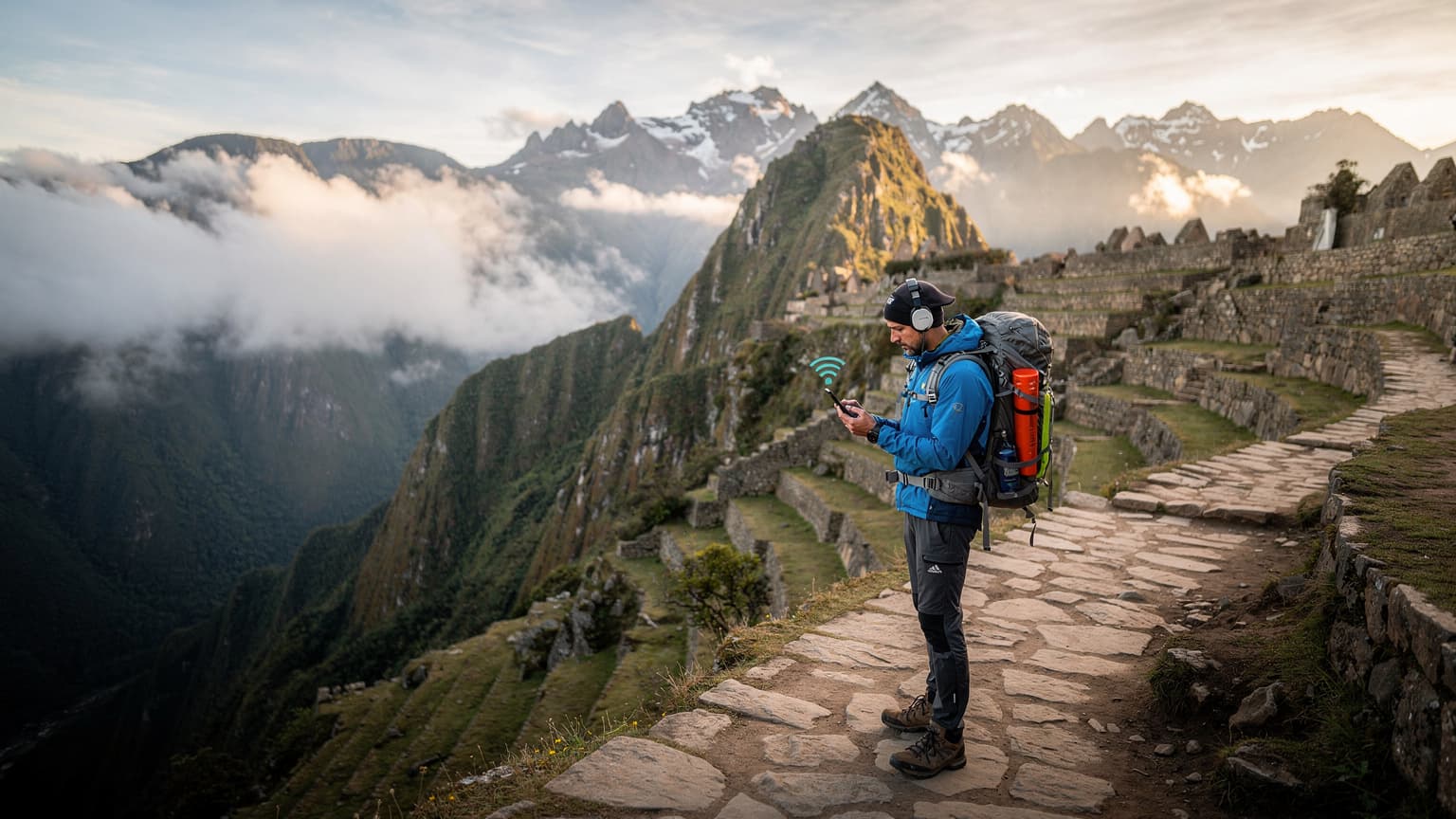
The Inca Trail: A Journey Beyond the Grid
There's a certain romance to disconnecting, isn't there? I remember my first time trekking near Huaraz, high in the Cordillera Blanca. For days, the only 'bars' I saw were carved into ancient rock faces. But while a digital detox sounds idyllic, when you're navigating steep Andean passes, sometimes a touch of connectivity isn't just convenient, it's a lifeline. The Inca Trail, a four-day, three-night pilgrimage culminating at Machu Picchu, is one such adventure where you'll want to be prepared for the unexpected.
This iconic route, managed by Peru's Ministry of Culture, requires permits booked months in advance, often selling out within hours of their release, typically in October for the following year. It's not just a walk in the park, either. You'll traverse diverse ecosystems, from cloud forest to alpine tundra, pushing past altitudes of 4,200 meters (13,780 feet) at Warmiwañusca, or 'Dead Woman's Pass' as it's more commonly known. The challenge is real, and so is the need for reliable communication.
My advice, honed over years of exploring remote corners, is to think about connectivity not as a luxury, but as part of your essential gear, right alongside your sturdy hiking boots and waterproof jacket. Especially when you're far from the bustling streets of Cusco's San Blas district or the relative comfort of Aguas Calientes, a quick message can make all the difference.
The Allure and Logistics of the Inca Trail
The Inca Trail is more than just a hike, it's a profound historical journey. Starting from Km 82, near the village of Piscacucho in the Sacred Valley, the trail winds through Inca ruins like Llactapata, Runkurakay, and Sayacmarca. The views, particularly as you descend into the Wiñay Wayna complex, are breathtaking, with terraced ruins clinging to steep hillsides, often shrouded in a mystical morning mist. Access is highly regulated, with only 500 permits issued daily, about 200 for tourists and 300 for porters and guides. The trail itself is closed every February for maintenance, so planning your 2026 trip requires precision.
Understanding the trail's logistics is key. You're accompanied by a licensed guide and a team of porters who carry your gear, set up camp, and cook meals. This isn't a DIY trek. While they handle the heavy lifting, you're responsible for your personal items, including your phone, charger, and, crucially, your connectivity solution. I've seen too many trekkers arrive in Peru, thinking they'll just grab a local SIM at the Lima airport, only to find the process cumbersome or the vendor closed when they arrive late at night, a scenario that always causes undue stress. (If only I'd known about Digital Nomads: One eSIM, Tokyo Coworking to Bali Beaches 2026 back then, it would have saved me a few headaches in Narita!)
High-Altitude Challenges and Remote Terrain
The Andean environment is stunning but unforgiving. Acute Mountain Sickness (AMS) can affect anyone, regardless of fitness level. Hydration is paramount, and acclimatizing for a few days in Cusco (at 3,400 meters / 11,150 feet) is non-negotiable. Beyond AMS, the terrain itself presents challenges. Rocky paths, sudden downpours (especially during the rainy season from November to March), and steep ascents and descents are common. In these situations, having a way to call for help, share your GPS location, or simply check in with your group leader is invaluable. Physical SIM cards are a non-starter here, as finding a shop to replace a lost or damaged one on the trail is, well, impossible.
Why an eSIM is Your Best Bet for Peru
Forget the days of fumbling with tiny SIM trays or hunting for local phone shops in unfamiliar cities. An eSIM is a digital SIM card, embedded directly into your phone. It's a game-changer for travelers, especially those venturing into places like the Peruvian highlands where convenience and reliability are paramount. I remember vividly trying to buy a local SIM in Cairo, wandering through the dusty streets of Downtown, getting redirected multiple times, only to find the shop closed for prayer. With an eSIM, those days are thankfully behind us.
The Ease of Activation and Flexibility
One of the biggest advantages of an eSIM is its seamless activation. You can purchase a data plan online before you even leave home, scan a QR code, and be connected in minutes. No physical card swapping, no language barriers at a local store, no need to find a SIM ejector tool (which I inevitably lose on every trip). This means you can land at Jorge Chávez International Airport in Lima, or Velasco Astete International Airport in Cusco, already connected and ready to navigate, book a taxi, or message your trekking company. For a trek that starts early, often before local shops open, this pre-arrival setup is a huge relief.
The flexibility is another boon. If your initial data plan runs out halfway through your trek, you can top it up directly from your phone, assuming you have a signal. This is a far cry from the old days of needing to find a specific carrier's store, like Claro or Movistar, often only found in larger towns like Cusco or Ollantaytambo. What if you're out near the Abra Málaga pass and need to update your loved ones?
Multi-Country Coverage and Cost Efficiency
While this post focuses on Peru, many eSIM providers offer regional or even global plans. If your Peruvian adventure is part of a larger South American itinerary, say, a quick stop in Santiago or a flight through Bogotá, a single eSIM plan can cover multiple countries. This eliminates the need to buy separate local SIMs for each destination, simplifying your travel logistics and often saving you money. When you're comparing costs, remember to factor in the time and hassle saved. What's an hour of your precious travel time worth, spent haggling over a SIM card in a busy market versus enjoying a pisco sour in Cusco's Plaza de Armas?
| Feature | eSIM for Peru | Traditional Physical SIM |
|---|---|---|
| Activation | Instant via QR code, online | Physical purchase, registration, manual swap |
| Flexibility | Easily switch plans, top-up online | Locked to one carrier, physical store needed for changes |
| Security | Less risk of theft/loss, data encryption options | Physical card can be lost/stolen, potential data exposure |
| Cost | Competitive international rates, tailored plans | Varies, often hidden fees, roaming charges |
| Convenience | Pre-arrival setup, no physical handling | Requires local store visit, potential language barrier |
Choosing the Right eSIM for Your Peru Trek
Not all eSIMs are created equal, especially when you're heading into the high Andes. The key is to find a provider that partners with the local carriers offering the best coverage in remote areas. In Peru, the main players are Movistar, Claro, and Entel. While their coverage is generally good in urban centers like Arequipa or Trujillo, their reach in the mountains can vary significantly.
When selecting your eSIM plan for Peru, consider the duration of your trip, the amount of data you'll realistically need, and whether you require calling capabilities. For the Inca Trail, data for mapping, emergency communication, and occasional messaging is usually sufficient. Heavy streaming or video calls are likely out of the question anyway, given the bandwidth in remote areas.
Data Packages and Validity Periods
Most eSIM providers offer a range of data packages, from a few gigabytes for short trips to larger bundles for extended stays. For a standard 4-day Inca Trail trek, a 5GB plan is usually more than enough, especially if you're mindful of your data usage (turning off automatic updates, limiting social media). However, if you plan to spend additional time exploring Cusco's Barrio de San Blas, the Sacred Valley, or even venturing further to Lake Titicaca, a 10GB or 15GB plan for 15-30 days might be more appropriate. Always check the validity period, as some plans expire after a certain number of days, regardless of remaining data.
Here's a quick look at typical offerings you might encounter:
| Plan Type | Data Included | Validity | Ideal Use Case |
|---|---|---|---|
| Basic Trekker | 5 GB | 7 Days | Inca Trail + a few days in Cusco |
| Extended Explorer | 10 GB | 15 Days | Inca Trail + Sacred Valley + brief city stay |
| Peru Deep Dive | 20 GB | 30 Days | Multi-region travel in Peru, longer stay |
| Regional South America | Varies | Varies | Peru + neighboring countries (e.g., Bolivia, Ecuador) |
Network Coverage in the Andes
This is where local knowledge truly matters. While Movistar often boasts the widest overall coverage in Peru, Claro can sometimes have stronger signals in specific, less populated areas, particularly along popular trekking routes. Entel is another strong contender, though its rural coverage can be spottier. Many eSIM providers partner with one or more of these local networks to provide their service. When researching, look for providers that explicitly state which local networks they utilize. A quick search on open-source coverage maps (like OpenSignal or nPerf) can give you a better idea of expected signal strength around the Inca Trail, particularly near strategic points like Sayacmarca or Phuyupatamarca.
The best eSIM for remote areas will often roam across multiple local networks, automatically connecting to whichever has the strongest signal, offering a distinct advantage over being tied to a single local SIM.
Setting Up Your eSIM: A Pre-Trek Checklist
Getting your eSIM ready for the Inca Trail isn't complicated, but it does require a few steps before you head into the mountains. Trust me, you don't want to be troubleshooting connectivity issues at 3,000 meters above sea level, shivering in a tent near Runkurakay. Preparation is key.
Device Compatibility and Unlocking
First and foremost, ensure your smartphone is eSIM compatible. Most newer iPhones (XS and above), Google Pixels (3 and above), and many Samsung Galaxy models (S20 and above) support eSIM technology. More critically, your phone must be unlocked. If you purchased your phone through a carrier contract, it might be locked to that network, preventing you from using other SIMs or eSIMs. Contact your home carrier well in advance to ensure it's unlocked. I once spent an entire afternoon in a phone repair shop in Bangkok's MBK Center, trying to get my phone unlocked, a painful memory that still makes me cringe.
Step-by-Step eSIM Activation
Once you've chosen your eSIM plan, activation is straightforward. Do this before you leave for Peru, ideally while you still have a strong, reliable Wi-Fi connection.
- Purchase Your eSIM Plan: Visit the eSIM provider's website, select Peru as your destination, and choose a data package that fits your needs. Complete the purchase.
- Receive Your QR Code/Activation Details: You'll typically receive an email with a QR code or manual activation details. Keep this email accessible, perhaps by printing it or saving a screenshot to your phone's photo gallery.
- Connect to Wi-Fi: Ensure your phone is connected to a stable Wi-Fi network (your home network, hotel Wi-Fi in Cusco, etc.).
- Add eSIM to Your Device: Navigate to your phone's settings:
- For iPhone: Go to Settings > Cellular (or Mobile Data) > Add eSIM. Choose 'Use QR Code' and scan the code.
- For Android (e.g., Pixel): Go to Settings > Network & internet > SIMs > Add more > Download a SIM instead. Scan the QR code.
- Label Your eSIM: Once installed, label your new eSIM profile something memorable, like 'Peru Data' or 'Inca Trail eSIM'. This helps distinguish it from your primary SIM.
- Configure Data Roaming: In your phone's cellular settings, ensure that data roaming is enabled for your new eSIM profile. Crucially, turn off data roaming for your primary SIM to avoid unexpected charges.
Connectivity on the Trail: What to Expect
Let's be realistic, the Inca Trail isn't exactly the Shibuya crossing in Tokyo when it comes to connectivity. You're deep in the Andes, far from major infrastructure. However, modern cellular networks have made impressive strides, and while continuous 4G LTE isn't guaranteed, you'll find intermittent service in surprising pockets.
Based on my own experiences and reports from fellow trekkers, you'll likely experience varying degrees of signal. In some valleys, you might find nothing. As you ascend to higher passes, like the famous Dead Woman's Pass, you might catch a faint signal, often just enough for a text message or a quick GPS check. The key is managing expectations and understanding where you're most likely to connect.
Signal Hotspots and Dead Zones
Generally, the parts of the trail closer to the Sacred Valley, especially the initial sections before Wayllabamba, tend to have better signal strength. As you climb towards Warmiwañusca, connectivity becomes much spottier. Interestingly, some of the higher ridges and passes can offer brief glimpses of signal, as they have line-of-sight to distant cell towers. I've often found that standing on a specific rock, or turning just so, would bring a single bar of Movistar service to life, just enough to send a 'doing great' message home.
Dead zones are, of course, inevitable. Deep valleys, dense cloud forest sections, and areas sheltered by steep mountainsides are where you're least likely to get service. Your guide will be a good resource for knowing where these might be. Don't rely on continuous connectivity for navigation, always carry a physical map or an offline map downloaded to your device.
What to Do When There is No Signal
This is where good preparation comes in. Even with an eSIM, there will be times when you're completely off-grid. This is part of the adventure, after all. However, it's vital to have backup plans.
- Offline Maps: Download maps of the Inca Trail and surrounding areas (e.g., through Google Maps, Maps.me, or AllTrails) before you lose signal.
- Emergency Contacts: Ensure your trekking guide has a list of emergency contacts, and that your loved ones at home know your itinerary and who to contact in Peru.
- Satellite Communicators: For the truly off-grid adventurer, a satellite messenger (like a Garmin inReach or a Zoleo) offers global communication capabilities, even when cellular networks fail. These devices are expensive but offer peace of mind for serious wilderness expeditions.
- Group Communication: Use walkie-talkies or simply stick with your group. The Inca Trail is not a solo endeavor, and your guides are trained to handle emergencies.
Safety and Emergency Features of eSIM Connectivity
This is where an eSIM truly shines on a trek like the Inca Trail. Beyond sharing photos of ancient ruins with envious friends, your phone becomes a critical safety tool. In an emergency, a quick call or message can be the difference between a minor inconvenience and a serious situation.
GPS Tracking and Location Sharing
Most smartphones have excellent GPS capabilities, and with an eSIM providing data, you can leverage these features effectively. Apps like 'Find My' (for Apple users) or 'Google Find My Device' (for Android) allow you to share your location with trusted contacts. In a remote area, if you were to become separated from your group, this could be vital for search and rescue efforts. Similarly, many trekking apps allow you to record your route and share it in real-time, offering an extra layer of safety. I always keep my location services on when in remote areas, especially since a friend of mine got disoriented on a trail outside of Chiang Mai and it took hours to find him, all because his phone was on airplane mode.
Accessing Emergency Services
While your trekking company will have its own emergency protocols, having personal access to local emergency services (like 911 in the US, 112 in Europe, or 105 for police in Peru) is reassuring. With an active eSIM, your phone functions just like a local phone, allowing you to make these calls if needed. Furthermore, in areas with weak signal, even a basic 2G connection might be enough to send a short text message, which can be critical. Your eSIM ensures that if a signal is available, you can use it.
Having a list of local emergency numbers readily available on your phone, even if just in your notes app, is a smart move. Your guide will also carry these, but personal access is always better.
Managing Data and Battery Life in the Andes
One of the biggest challenges on any multi-day trek is keeping your devices charged. There are no power outlets on the Inca Trail. Every mAh counts. An eSIM, while incredibly useful, still draws power, and managing your phone's battery life becomes a strategic exercise.
Optimizing Your Phone Settings
Before you even set foot on the trail, optimize your phone's settings for battery longevity:
- Airplane Mode: When you know you're in a dead zone, switch to airplane mode. Your phone constantly searching for a signal is a huge battery drain.
- Low Power Mode: Enable your phone's low power mode. This reduces background app refresh, visual effects, and other power-hungry features.
- Screen Brightness: Keep your screen brightness as low as comfortably possible. The screen is one of the biggest battery consumers.
- Disable Background Apps: Close any unnecessary apps running in the background.
- Wi-Fi and Bluetooth Off: Unless you're actively using them, keep Wi-Fi and Bluetooth turned off.
- Download Content Offline: Download any maps, guidebooks, or entertainment (music, podcasts) you might need before you start your trek.
Portable Power Solutions
A reliable power bank (or two!) is non-negotiable. For a 4-day trek, I'd recommend a power bank with at least 20,000mAh capacity, capable of charging your phone 3-4 times. Solar chargers can be an option, but their effectiveness depends heavily on sunlight and can be slow. For shorter treks, a smaller power bank might suffice, but for something like the Inca Trail, err on the side of caution.
Remember to charge your power bank fully before you leave Cusco's Wanchaq district. And don't forget the right charging cables! I once packed a power bank but forgot the USB-C cable for my phone, a rookie error I'm still embarrassed about.
Beyond the Trail: eSIM Use in Cusco and Lima
Your Peruvian adventure doesn't end with Machu Picchu. Chances are you'll spend time exploring Cusco, the ancient capital of the Inca Empire, and perhaps Lima, Peru's bustling modern capital. Your eSIM will continue to serve you well in these urban environments, often providing better and more convenient connectivity than local Wi-Fi.
Navigating and Exploring Cities
In Cusco, whether you're wandering through the artisan shops of Hatunrumiyoc or trying to find that specific cevichería in the San Blas neighborhood, reliable data is a godsend. Google Maps will be your best friend, helping you navigate the labyrinthine streets and locate attractions. Similarly, in Lima, getting around can be tricky. Using apps like Uber or InDriver (a popular ride-sharing app in Peru) requires a data connection. Trying to hail a taxi on the streets of Miraflores without a clear destination can lead to inflated fares, so having your phone ready with navigation and translation apps is key.
Public transport, like Cusco's local buses, or Lima's 'Metropolitano' BRT system, can be navigated more easily with real-time transit apps. An eSIM saves you from the frustration of spotty hotel Wi-Fi or hunting for an internet cafe.
Staying Connected with Friends and Family
Once you've conquered the Inca Trail, you'll want to share your stories and photos. An eSIM allows you to make WhatsApp calls, send messages, and upload pictures seamlessly. No more relying on slow hotel Wi-Fi that cuts out every few minutes. You can even use your phone as a personal hotspot (if your plan allows) to connect a tablet or laptop, making it easier to plan your next leg of the journey or just catch up on emails.
For those interested in content creation, having reliable data is crucial. My friend who writes for Cape Town's Creator eSIM: 50GB+ for Seamless Uploads & Streaming 2026 would agree, ensuring seamless uploads while on the go.
Common eSIM Concerns for High-Altitude Travel
Even seasoned travelers have questions when it comes to new tech and challenging environments. Let's tackle some common concerns about using an eSIM for a high-altitude trek like the Inca Trail.
Does Altitude Affect eSIM Performance?
The short answer is no, not directly. Altitude doesn't inherently affect the performance of an eSIM itself. However, cellular network coverage naturally diminishes in remote, high-altitude areas simply because there are fewer cell towers. Network infrastructure is expensive to build and maintain in such challenging terrain. So, while your eSIM works perfectly fine, the underlying network it connects to might be sparse. Think of it like this: your car works just as well in the mountains as at sea level, but there are fewer gas stations. The challenge isn't the eSIM, but the environment.
That said, modern networks are constantly expanding. What was a dead zone five years ago might now have intermittent 3G or even 4G. Don't expect fiber-optic speeds, but do expect a fighting chance at getting a signal.
Troubleshooting Connectivity on the Go
If you find yourself without a signal despite having an active eSIM, here are a few troubleshooting steps:
- Restart Your Phone: The classic IT solution, but it often works. A quick reboot can force your phone to search for available networks again.
- Check Network Selection: Sometimes your phone might cling to a weak, unusable network. Go to your phone's cellular settings, and under 'Network Selection', try switching from 'Automatic' to 'Manual'. Then, select one of the local partner networks (Movistar, Claro, Entel) if they appear.
- Toggle Airplane Mode: Turning airplane mode on for a minute and then off again can sometimes reset network connections.
- Confirm Data Roaming: Double-check that data roaming is enabled for your eSIM profile and disabled for your primary SIM.
- Contact Support: If all else fails, and you're in an area with some Wi-Fi (perhaps in a lodge pre- or post-trek), contact your eSIM provider's support. They can often diagnose issues remotely. Many providers offer 24/7 chat support, a real lifesaver when you're in a different time zone. (For common questions, you might also find answers on their FAQ page.)
Final Thoughts on Your Peruvian Adventure
The Inca Trail is an experience that will stay with you long after you've descended from Intipunku, the Sun Gate, and gazed upon Machu Picchu for the first time. It's a journey of physical endurance, cultural immersion, and profound natural beauty. While the allure of disconnecting is strong, smart connectivity, powered by an eSIM, adds a crucial layer of safety and convenience without detracting from the adventure.
From navigating the bustling streets of Cusco's Santiago district to sending a vital message from a high mountain pass, an eSIM ensures you're prepared for whatever the Andes throws your way. It's about empowering you to explore with confidence, knowing that you have a reliable link to the outside world if you need it. So pack your bags, lace up your boots, and get ready for an unforgettable journey to the heart of the Inca Empire.
Frequently Asked Questions
What is the best time of year to trek the Inca Trail?
The dry season, from May to October, is generally considered the best time for the Inca Trail, offering clearer skies and less rain. However, this is also peak season, meaning permits sell out quickly. The trail is closed annually in February for maintenance.
Will my eSIM work in Machu Picchu?
Yes, Machu Picchu and the nearby town of Aguas Calientes generally have good cellular coverage from major Peruvian carriers. Your eSIM, relying on these local networks, should provide connectivity, allowing you to share your experiences from the historic site.
How much data do I need for a 4-day Inca Trail trek?
For a 4-day trek focused on essential communication, navigation, and occasional check-ins, a 5GB eSIM plan should be sufficient. If you plan extended stays in cities before or after the trek, consider a 10GB or 15GB plan for longer validity.
Can I use my eSIM for calls and texts on the Inca Trail?
Most data-only eSIM plans do not include traditional calling or texting capabilities. However, with an active data connection, you can use VoIP apps like WhatsApp, FaceTime Audio, or Google Voice for calls and messages, assuming you have a signal.
Is it possible to top up my eSIM data plan while on the trail?
Yes, if you have a signal, you can top up your eSIM data plan directly through the eSIM provider's app or website. This flexibility is a major advantage over traditional SIM cards, which would require finding a physical store.
What if my phone is not eSIM compatible?
If your phone doesn't support eSIMs, your best alternative is to purchase a local physical SIM card upon arrival in Peru, from a reputable carrier like Movistar or Claro. Do this at the airport or a main carrier store in Cusco or Lima, ensuring your phone is unlocked beforehand.