
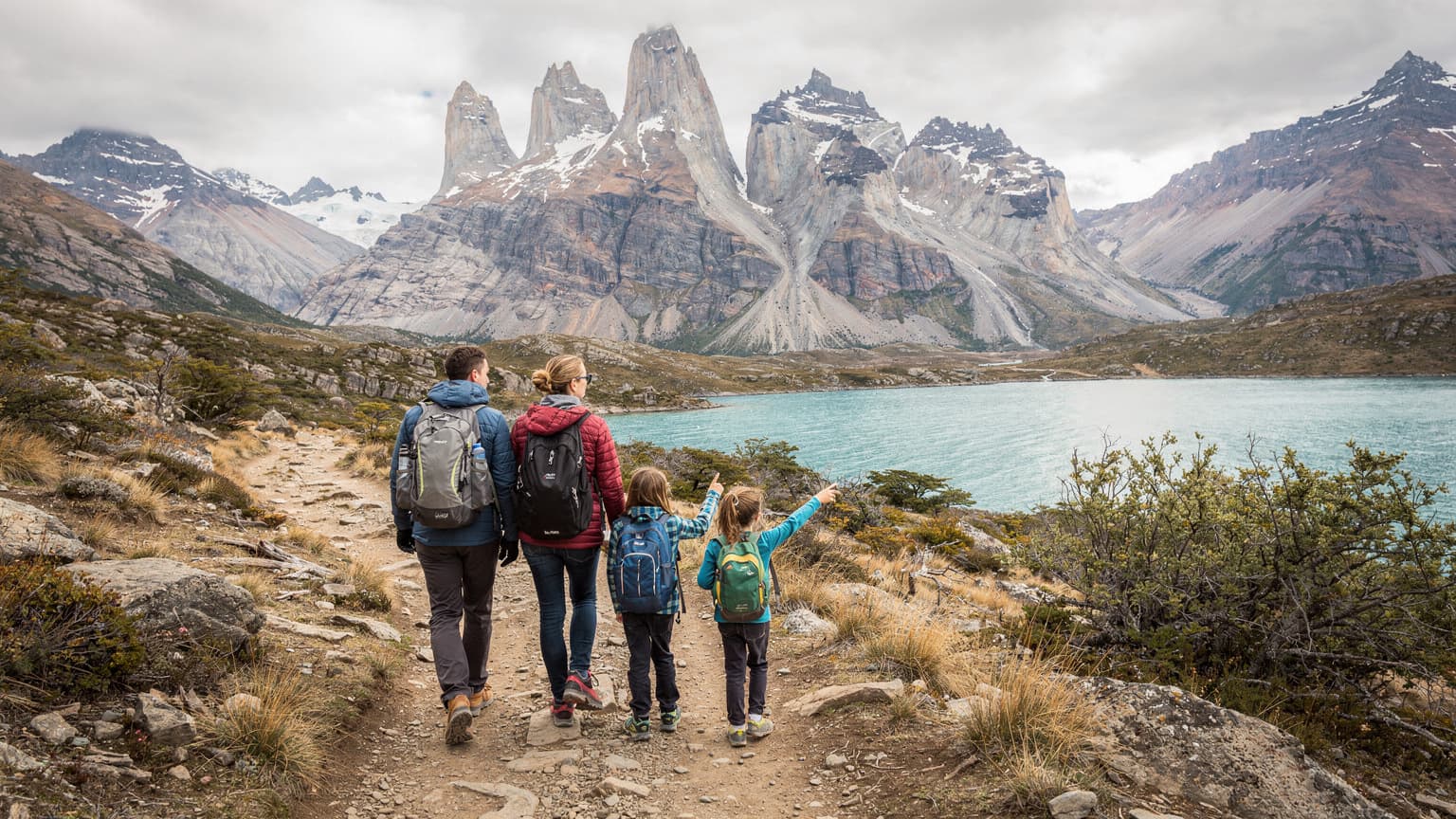
Why Patagonia Demands More Than a Local SIM
Patagonia, with its sprawling national parks like Torres del Paine and Los Glaciares, isn't just another holiday destination, it's an expedition. For parents, this translates into an extra layer of planning, especially concerning connectivity. We're not talking about simply finding a Wi-Fi signal at a quaint café in El Calafate, we're talking about reliable data when you're miles from the nearest town, navigating with offline maps, and potentially needing to reach out for help.
My husband still shudders remembering that one time in the Scottish Highlands when we were reliant on a single local SIM, and it just conked out halfway up a hill. Never again. In a place as vast and wild as Patagonia, that kind of vulnerability is simply not an option when you have two kids who might, at any moment, decide they've had enough of 'nature' and demand a quick round of Minecraft or a Disney+ distraction (yes, even in the wilderness, sometimes you just need 20 minutes of peace to set up camp).
The Dual-Country Challenge: Chile and Argentina
Patagonia stretches across both Chile and Argentina, meaning you're likely to cross borders. This is where traditional physical SIM cards become a logistical nightmare. Buying a local SIM in Santiago, only to find it doesn't work optimally, or at all, once you cross into Argentina, is a common frustration. Each country has its own major carriers: in Chile, you'll primarily encounter Entel, Movistar, and Claro, while in Argentina, it's Movistar, Personal, and Claro. Managing two physical SIMs, remembering which one is active, and topping them up in remote areas is just an added stressor that no parent needs. My phone already has enough going on with all the kids' school apps and my Facebook group. The beauty of an eSIM is its ability to seamlessly switch between networks or offer coverage across multiple countries with a single plan, simplifying your life considerably.
Safety First: When Connectivity is Non-Negotiable
Beyond the convenience of sharing holiday photos, reliable connectivity in Patagonia is a safety imperative. Whether it's checking weather updates, using GPS navigation to stay on marked trails, or, in a worst-case scenario, contacting emergency services, your phone can be a lifeline. Many trails, particularly in the more remote sections of Los Glaciares National Park or the lesser-known routes around El Chaltén, have limited to no signal. However, where there *is* a signal, you want to be sure you can access it, and an eSIM often provides better roaming capabilities and access to partner networks than a single local SIM locked to one carrier.
eSIMs vs. Physical SIMs: The Family Travel Showdown
When you're juggling flights, packing lists (did I remember the kids' favourite snacks?), and itinerary details, the last thing you want is a fiddly tech problem. This is where the eSIM really shines for family travel, especially to a place like Patagonia.
The Hassle-Free Activation Advantage
Remember the days of landing, trying to find a local phone shop, deciphering foreign tariff plans, and then awkwardly trying to swap out tiny SIM cards with grubby fingers after a long-haul flight? Those days are thankfully behind us with eSIMs. You can purchase and activate an eSIM before you even leave home. This means you land in Santiago or Buenos Aires already connected. No hunting for Wi-Fi in the airport, no queuing, no language barriers. For a parent who just wants to get everyone to the rental car and on the road, this is invaluable. My kids already start asking for their iPads the moment the plane lands, so having data ready for them (and me) is a game-changer.
Multi-Device Management with a Single Plan
One of my biggest concerns with family travel is always how to keep everyone connected without breaking the bank. My kids, Leo (10) and Maya (8), each have an iPad. Leo also brings his Nintendo Switch for online gaming with his friends (yes, even on holiday, 'Fortnite' calls). That's three devices, plus my phone and my husband's, all needing data. Traditional physical SIMs would mean buying separate local SIMs for each device, which is both expensive and complicated. Many eSIM providers offer plans that can be shared across multiple devices, either by tethering or by having multiple eSIM profiles on different devices under one account. This is a huge win for managing those screen time moments, like streaming Disney+ in the evening at the refugio, or letting them watch pre-downloaded shows on the bus ride to El Chaltén.
| Feature | eSIM for Patagonia | Physical Local SIM |
|---|---|---|
| Activation | Pre-purchase and activate before arrival, instant connectivity | Requires finding local store, purchase, registration, manual insertion |
| Multi-Country Coverage | Seamless coverage across Chile and Argentina with one plan | Usually limited to one country, requiring multiple SIMs for border crossings |
| Device Management | Easily manage data across multiple family devices via tethering or shared plans | Requires separate SIMs for each device, complex management |
| Security | Less susceptible to physical loss or theft, data always accessible | Can be lost, damaged, or stolen with the device |
| Flexibility | Easy to switch plans, top-up digitally, or add data quickly | Often involves visiting stores for top-ups or plan changes |
| Emergency Access | Reliable access to local emergency services where signal is available | Dependent on specific local carrier network, may vary |
Choosing the Right eSIM Plan for Your Patagonian Family
This is where my inner planning spreadsheet comes out. Not all eSIMs are created equal, especially when you're planning a trip to a place where connectivity can be patchy and bandwidth precious. For Patagonia, you need a plan that's robust, flexible, and capable of handling a family's diverse data needs.
Data Plan Sized for Streaming and Gaming
Let's be realistic: a 'digital detox' only lasts so long, especially with a 10-year-old and an 8-year-old. My kids' iPads, once loaded with educational apps and offline games, will inevitably need a data fix. Think about those bus journeys between Puerto Natales and El Calafate, or those evenings in a remote refugio. A data plan sized for 2 kids streaming Disney+ (even if it's just for an hour or two), plus some YouTube Kids, isn't trivial. I'd recommend a minimum of 50GB for a two-week trip for a family of four, assuming moderate adult use and limited kid streaming. If your kids are heavy users, or you anticipate a lot of downtime requiring digital entertainment, consider 100GB or even an unlimited plan if available and cost-effective. Remember, it's always better to have too much than too little when you're off-grid.
Multi-Country and Regional eSIMs
Because Patagonia spans Chile and Argentina, a regional eSIM plan is often the most sensible choice. These plans typically cover multiple South American countries, meaning you don't have to swap out eSIMs or purchase separate plans when you cross the border. esimAdventures offers excellent regional plans that can activate on the best available networks in both countries, ensuring you're always connected where service exists. This is a far cry from the days of UK roaming charges where you'd pay a flat daily fee of £10 just for basic connectivity with providers like EE or Vodafone. An eSIM offers predictable costs and broader coverage, which is a relief when managing a family budget.
Understanding Carrier Partnerships and Coverage Maps
Before you commit to an eSIM, always check the carrier partnerships. In Chile, look for strong connections with Entel or Movistar. In Argentina, Movistar and Personal tend to have the broadest coverage, particularly in tourist areas and along major routes. No matter how good the eSIM, if the local infrastructure isn't there, you won't have signal. However, eSIMs often have the advantage of being able to 'roam' across multiple local networks within a country, automatically connecting to the strongest available signal. This is a significant benefit over a physical SIM locked to a single provider. Always check the coverage maps provided by the eSIM vendor, paying particular attention to the specific national parks or remote towns you plan to visit, like El Chaltén or Puerto Natales.
| eSIM Provider | Coverage (Chile/Argentina) | Typical Data Allowance (30 Days) | Key Benefit for Families |
|---|---|---|---|
| esimAdventures Global | Extensive, utilizing multiple local partners (e.g., Movistar, Entel, Personal) | 50GB - Unlimited | Reliable multi-country coverage, easy top-ups, excellent customer support |
| Airalo (Regional LatAm) | Good, usually one primary partner per country | 10GB - 30GB | Cost-effective for lighter users, good basic option |
| Holafly (Regional LatAm) | Decent, often offers unlimited data plans for specific regions | Unlimited (speed may throttle after high usage) | Peace of mind with 'unlimited' data for heavy streamers, but check fair usage policy |
| GigSky (Global) | Reliable, often premium pricing | 5GB - 20GB | Good for short trips or as a backup, but less data for the price |
Pre-Trip Connectivity Checklist for Parents
Preparation is everything, especially when you're heading somewhere as wild as Patagonia with children. A solid connectivity plan starts long before you pack your hiking boots.
Loading Up on Offline Entertainment and Maps
This is my golden rule: always assume you'll have no signal, then be pleasantly surprised when you do. Before you even set foot on the plane, ensure all essential apps are downloaded and, crucially, that their offline features are enabled. For maps, I swear by Maps.me and Google Maps' offline area downloads. Download the entire Patagonian region you'll be traversing, including specific trails. For the kids' iPads, this means pre-loading Netflix shows, Disney+ movies, Kindle books, and offline-friendly games like 'Toca Life' or 'Minecraft' (offline mode only). This saves precious data and prevents meltdowns when Wi-Fi is scarce.
Device Compatibility: What Works with eSIM?
Most modern smartphones (iPhone XS and newer, many Samsung Galaxy models, Google Pixel 3 and newer) are eSIM compatible. Before purchasing an eSIM plan for your Argentina trip or other destinations, double-check that all your family's primary devices, not just your phone, can handle eSIMs. If your kids' older iPads don't support eSIMs, you'll need to factor in tethering from your primary device or consider a portable Wi-Fi hotspot (though these add another gadget to charge and manage).
Setting Up Parental Controls for All Devices
This is non-negotiable for me. Even with a data plan, I want control over what my kids are accessing and for how long. Most modern devices, including iPhones and Android phones, have robust built-in parental controls. For example, on iOS, you can set 'Screen Time' limits, restrict content, and even prevent app purchases. Crucially, these controls work independently of the network connection, meaning they'll still function even if the eSIM provides the data. For managing access to specific apps that use data, like YouTube or TikTok, you can often set daily time limits. Make sure these are configured before you leave home, so you're not fumbling with settings at 3 AM in a hostel after a long hike.
Real-World Connectivity on the Trail and in Town
The reality of Patagonia is that connectivity is a patchwork. You'll find strong 4G/5G in major towns, but it diminishes rapidly as you venture into the wilderness. Knowing what to expect and how your eSIM performs in these varying conditions is key.
Towns and Tourist Hubs: El Calafate, El Chaltén, Puerto Natales
In towns like El Calafate (Argentina), El Chaltén (Argentina), and Puerto Natales (Chile), you'll generally find good 4G LTE coverage. This is where your eSIM will shine, connecting you to strong local networks like Movistar or Personal. You'll be able to upload photos, video call family, and, yes, let the kids download that new game they've been begging for. Even better, you can easily top up your data plan digitally if you find you're chewing through it faster than expected (those Disney+ streams add up!). This level of connectivity in towns is comparable to what you'd expect in major European cities, allowing you to catch up on emails or plan your next leg of the journey without a hitch, much like a business traveller might rely on an eSIM for seamless connectivity when navigating Lisbon's Digital Nomad Hub.
On the Trails: Torres del Paine and Los Glaciares
This is where the 'remote' in Patagonia truly comes into play. While some well-trodden sections of the W Trek in Torres del Paine might have intermittent signal (especially near refugios or higher elevations), you should absolutely not rely on consistent connectivity. The same goes for the trails around Fitz Roy and Cerro Torre in Los Glaciares National Park. An eSIM won't magically create a signal where none exists, but it will ensure that if there's any network available from its partner carriers, your device will latch onto it. This is why pre-downloaded maps and offline content are so vital. Think of your eSIM as providing access to the maximum possible signal, not a guarantee of signal everywhere. Connectivity inside theme parks or cruise ships can be similarly tricky, often requiring specific onboard Wi-Fi packages. On the trails of Patagonia, it's even more about leveraging every available terrestrial signal.
Managing Kids' Devices and Screen Time with eSIM
The eternal struggle of the travelling parent: balancing exploration with the inevitable need for device time. With an eSIM, you gain more control and flexibility than with traditional roaming.
Data Usage Monitoring and Alerts
One of the unsung heroes of eSIM management is the ability to monitor data usage in real-time. Most eSIM apps provide a clear breakdown of how much data you've consumed and how much remains. This is crucial for family travel. I can see if Leo's Nintendo Switch online gaming session is devouring our data, or if Maya's TikTok scrolling is getting out of hand. You can often set usage alerts within the eSIM app or your phone's settings to notify you when you're approaching your limit. This prevents any nasty surprises and allows you to adjust usage on the fly (or, more likely, tell the kids to put their devices away for a bit).
The Art of Tethering: Sharing Data Wisely
With an eSIM active on your main device, you can easily tether your kids' iPads or other devices to share your data connection. This is my preferred method for controlling their usage. Instead of each device having its own data plan, they rely on my phone's hotspot. This means I can simply turn off the hotspot when it's screen-free time, or when we're trying to conserve data. Plus, it gives me a better overview of overall family data consumption. It's like having a master switch for internet access, which, let's be honest, is every parent's dream.
- Activate Hotspot on Your Phone: Go to your phone's settings, find 'Personal Hotspot' (iPhone) or 'Portable Hotspot' (Android), and toggle it on.
- Connect Kids' Devices: On the kids' iPads or other tablets, go to Wi-Fi settings, find your phone's hotspot name, and enter the password.
- Set Data Limits (Optional but Recommended): On your phone, you can often set data limits for your hotspot or monitor connected devices.
- Monitor Usage: Keep an eye on your eSIM provider's app for real-time data consumption.
Pre-Loaded Apps and Offline Content: The Data Saver
Before you even dream of leaving home, ensure all kids' devices are brimming with pre-loaded apps. We're talking games that don't require internet, e-books, and especially movies or TV shows downloaded from streaming services like Netflix and Disney+. This isn't just about saving data, it's about managing expectations. When you're on a long bus ride through the Patagonian steppe and there's no signal, having 'Frozen 2' ready to go can prevent a full-scale mutiny. The same goes for educational apps or audiobooks. A bit of foresight here saves a lot of headaches (and data) later.
Emergency Preparedness: Your eSIM as a Lifeline
In a place like Patagonia, where distances are vast and help can be far, your phone isn't just for Instagram, it's a vital safety tool. An eSIM plays a critical role in ensuring that lifeline is as robust as possible.
Accessing Emergency Services (SOS)
One of the most reassuring aspects of an eSIM is its ability to connect to emergency services even without an active data plan, as long as there is any signal available. This is a standard feature for all mobile networks. In Chile, the emergency number is 131 for ambulances, 132 for firefighters, and 133 for police. In Argentina, it's a universal 911. Knowing that your phone, powered by an eSIM connecting to the strongest available network, can make these calls in a crisis offers immense peace of mind, especially when hiking with children. Always ensure your phone is charged, and consider carrying a portable power bank, as signal searching can drain batteries quickly.
Offline Mapping and GPS Tracking
While an eSIM helps you get online, remember the importance of offline tools. As mentioned, apps like Maps.me and downloaded Google Maps areas are essential. Your phone's GPS, however, works independently of cellular data, relying on satellite signals. This means you can track your location and navigate even without an active eSIM connection. However, having an eSIM means you can quickly download updated trail conditions or emergency contact details if you do find a signal, or share your live location with family back home using apps like WhatsApp if you have intermittent connectivity. This blend of offline reliability and opportunistic online access is the ideal strategy for Patagonian hikes.
Communication with Tour Operators and Refugios
Many excursions and accommodations in Patagonia, especially the more remote refugios, rely on WhatsApp for communication. Having an active eSIM ensures you can receive updates from your tour guide, confirm bookings, or communicate any delays (which, with kids, are almost guaranteed). Before you depart for a day's hike, always check in with your accommodation or tour operator if possible, and ensure they have a way to contact you, or you them. This is particularly important for multi-day treks where you might be out of regular service range for extended periods.
Setting Up Your Patagonia eSIM: A Step-by-Step Guide
Installing an eSIM is surprisingly straightforward, and doing it before you leave home saves you a world of stress. Here's my simple guide, based on countless installations for family trips.
Purchasing Your eSIM
Firstly, head over to the esimAdventures website and choose a plan suitable for your Patagonia adventure. For Chile and Argentina, look for a regional South America plan or a specific country plan for each, if your itinerary is focused on one side of the border. Always check the data allowance, validity period, and supported networks. I typically opt for a plan slightly larger than I think I'll need, just for peace of mind. For example, a 30-day, 50GB plan provides ample buffer for two adults and two kids who might occasionally stream.
Installation Process (iOS/Android)
The installation is usually done via a QR code or manual entry. Most providers, including esimAdventures, make it incredibly easy.
- Purchase and Receive QR Code: After purchasing your eSIM plan, you'll receive an email with a QR code and detailed instructions.
- Connect to Wi-Fi: Ensure your phone is connected to a stable Wi-Fi network before starting the installation.
- Access eSIM Settings:
For iPhone: Go to 'Settings' > 'Cellular' or 'Mobile Data' > 'Add eSIM'.
For Android: Go to 'Settings' > 'Network & internet' > 'SIMs' > 'Add more' or 'Download a SIM'. - Scan QR Code: Use your phone's camera to scan the QR code provided in your email. If scanning isn't possible, you can manually enter the details.
- Label Your eSIM: Once installed, label your new eSIM (e.g., 'Patagonia Travel') to easily differentiate it from your primary home SIM.
- Configure Data Roaming: For the eSIM you've just installed, ensure 'Data Roaming' is turned ON. For your primary SIM, ensure 'Data Roaming' is turned OFF to avoid accidental charges.
- Set as Primary for Data: Set your new eSIM as the preferred line for cellular data when abroad.
This entire process typically takes less than five minutes. I usually do it a day or two before departure, so it's ready to go the moment we land. It's much like setting up an eSIM for a short city break, say for Prague Christmas Markets 2026, but with higher stakes for connectivity.
Testing Your eSIM Before You Go
While you can't fully test international connectivity from home, you can verify the eSIM profile is correctly installed and recognised by your phone. You should see the new eSIM listed in your cellular settings. Some providers allow a very small amount of data to be used in your home country for testing, but this isn't universal. The real test comes when you land, but knowing the profile is active on your device is half the battle won.
Post-Patagonia: What to Do with Your eSIM
Once your Patagonian adventure is over and you're back home, you have a few options for managing your eSIM. This flexibility is another reason I prefer them for family travel.
Keeping or Deleting the eSIM Profile
If you're a frequent international traveller, especially to South America, you might want to keep the eSIM profile on your phone. Many esimAdventures eSIMs can be topped up for future trips, offering even greater convenience. However, if Patagonia was a one-off, or if your phone is getting cluttered with old eSIM profiles, you can easily delete it from your settings. This frees up space and ensures no accidental data usage. The process is similar to installation, but in reverse, usually a 'Remove eSIM' option in your cellular settings.
Future Travel with eSIMs
The beauty of eSIMs is their versatility. Whether your next family adventure takes you to the bustling streets of Tokyo or a remote cruise in Southeast Asia, the same principles apply. A single eSIM can even serve as your Globetrotter's Playbook, connecting you across continents. Always research your destination's specific connectivity needs, but rest assured that eSIMs will likely be your best bet for hassle-free, cost-effective data wherever you roam with your loved ones. Just make sure you've pre-loaded those devices before the flight!